Team Access
Give everyone on your team their own WebSMS login - with a shared inbox for the people who work together, and you in control of what each person can do and spend.
One SMS account, a login for every person
No more sharing one password around the office. With Team Access, your receptionists, booking staff and managers each sign in with their own email, send and reply to texts from your account, and only see the conversations that are theirs.
Built for clinics, hospitals and any team that shares the job of texting customers. It runs on the same web portal, contacts and two-way conversations you already use.
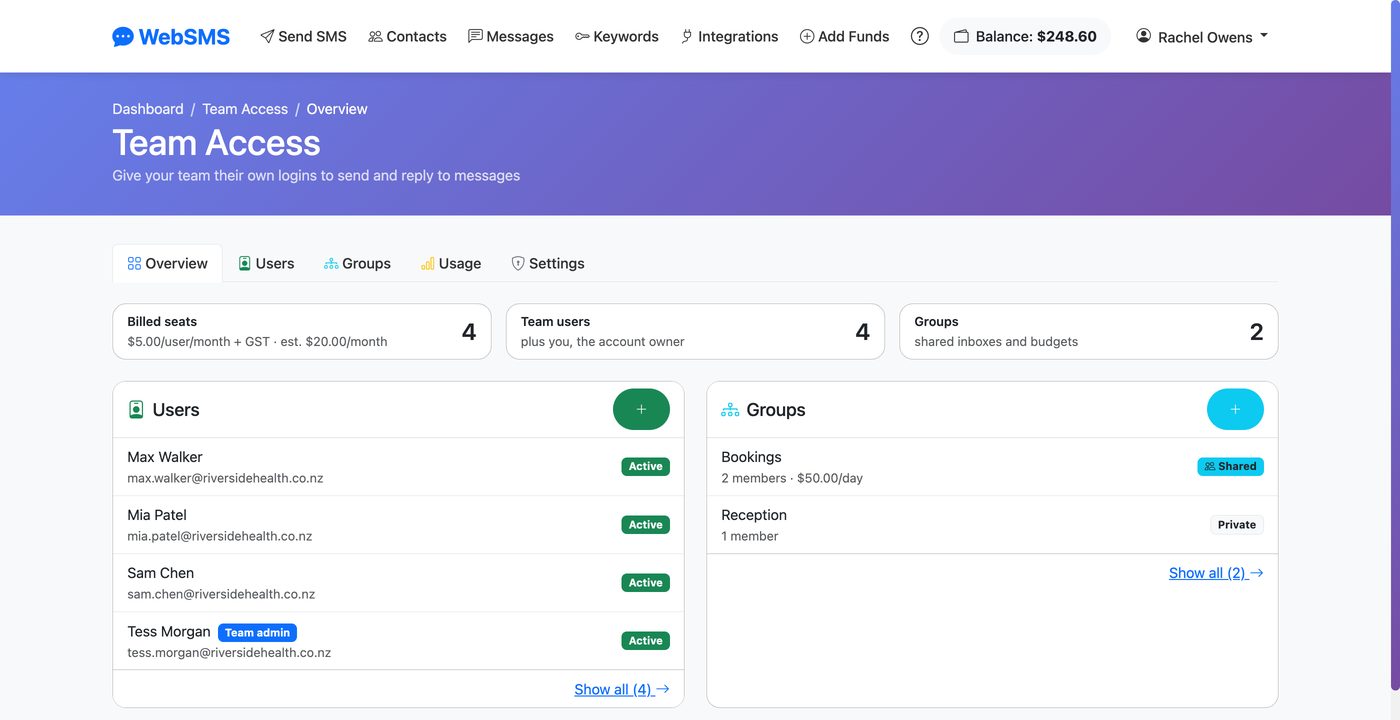
How it works
Turn it on
Open your name in the top right of the members area and choose Team Access. Accept the per-user pricing and it's on - no forms, no waiting.
Invite your team
Add each person's name and email. They get an invitation to choose their own password and, if you require it, set up two-factor authentication.
Send and reply
Team members send SMS and reply to customers from their own login. Replies go to whoever sent the message - or the whole group, if you share it.
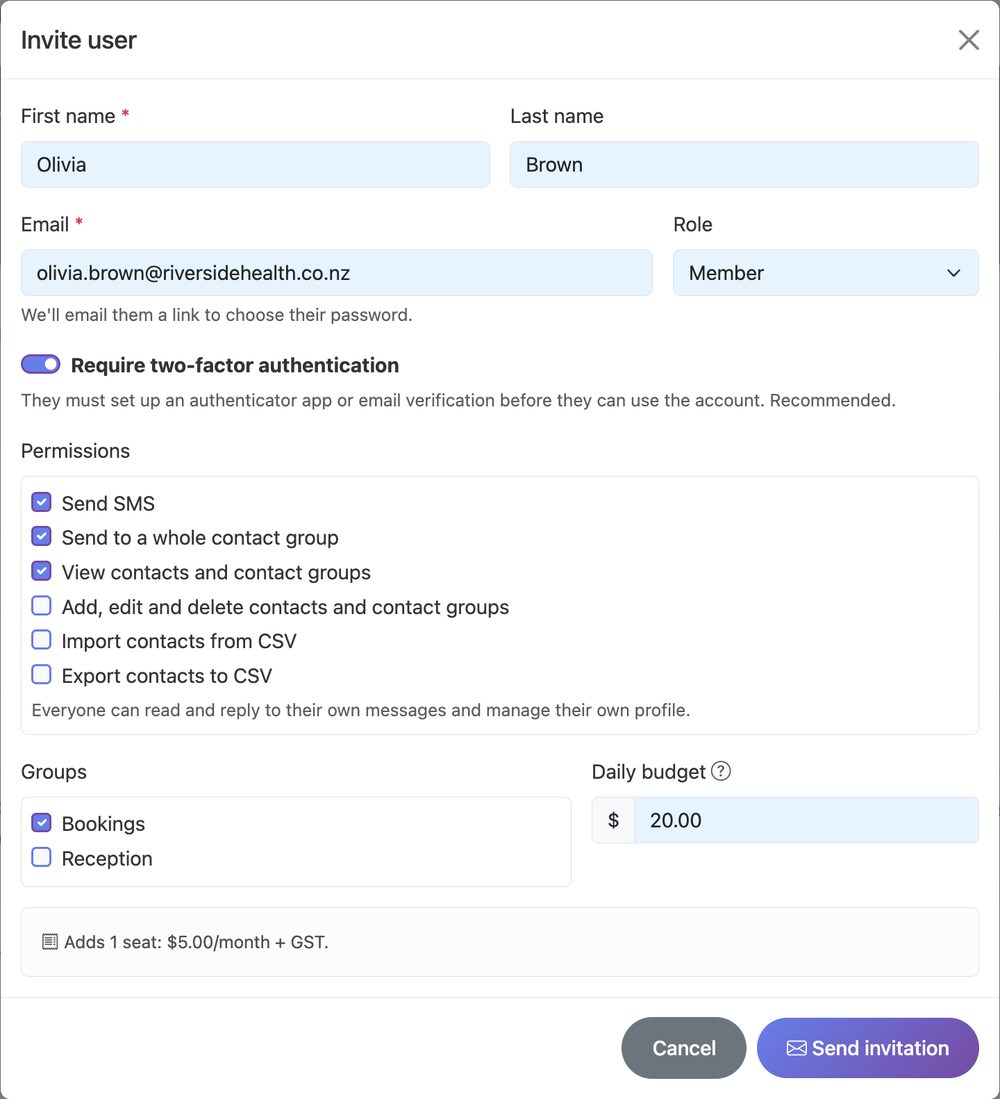
Invite users and choose what they can do
Every team member gets their own login with only the access they need. Make someone a team admin to help you manage the team, or keep them as a member with exactly the permissions you tick.
- Permissions per person - send SMS, send to whole contact groups, view, edit, import or export contacts
- Two-factor authentication on by default - users must set it up before they can use the account
- Optional daily budget per user, incl. GST
- Disable, sign out everywhere or reset 2FA in one click when someone leaves or loses their phone
Groups and a shared team inbox
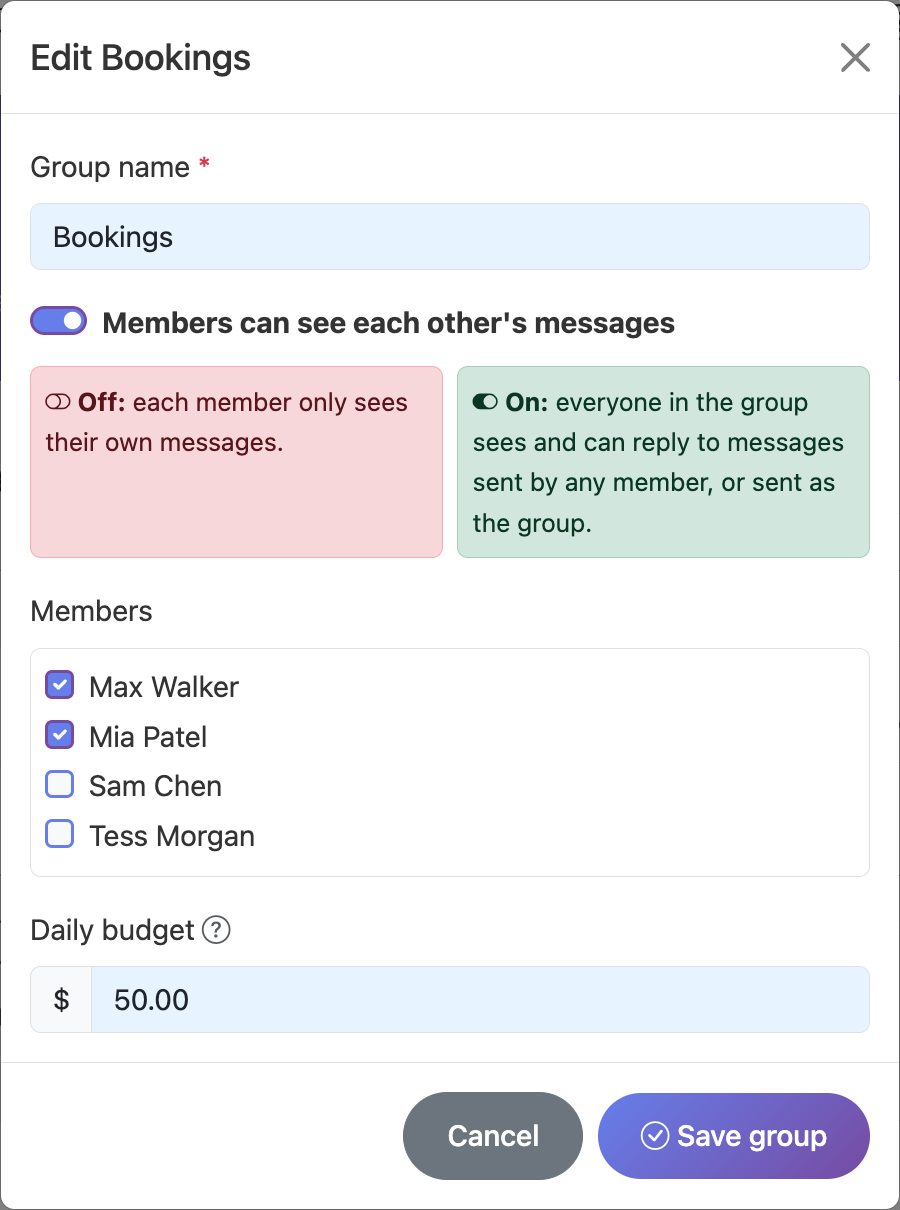
Put people who cover for each other into a group - Bookings, Reception, Night shift - and decide whether they share their messages.
Sharing off (default)
Each person only sees the messages they send and the replies to them.
Sharing on
Everyone in the group sees and can reply to the whole group's conversations.
Groups can have their own daily budget too, and anyone in more than one group chooses which group they're sending as.
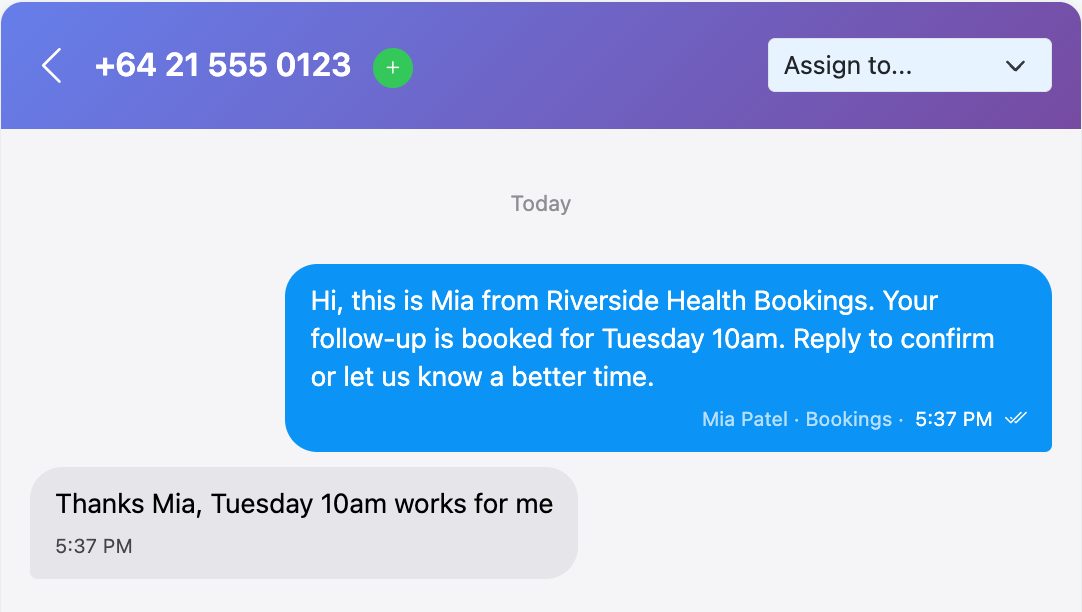
Every message shows who sent it
In the two-way conversation view, owners and team admins see which person - and which group - sent each message. Replies go back to the right person automatically, and email notifications for a reply go to the people who look after that conversation.
- Assign conversations - a reply from a number nobody has texted lands in an Unassigned view for admins to hand to a person or group
- Privacy by default - a team member only sees replies that arrive after they first texted that person, never another department's earlier conversation
- History stays with the group when a staff member leaves
Daily budgets and spend per person
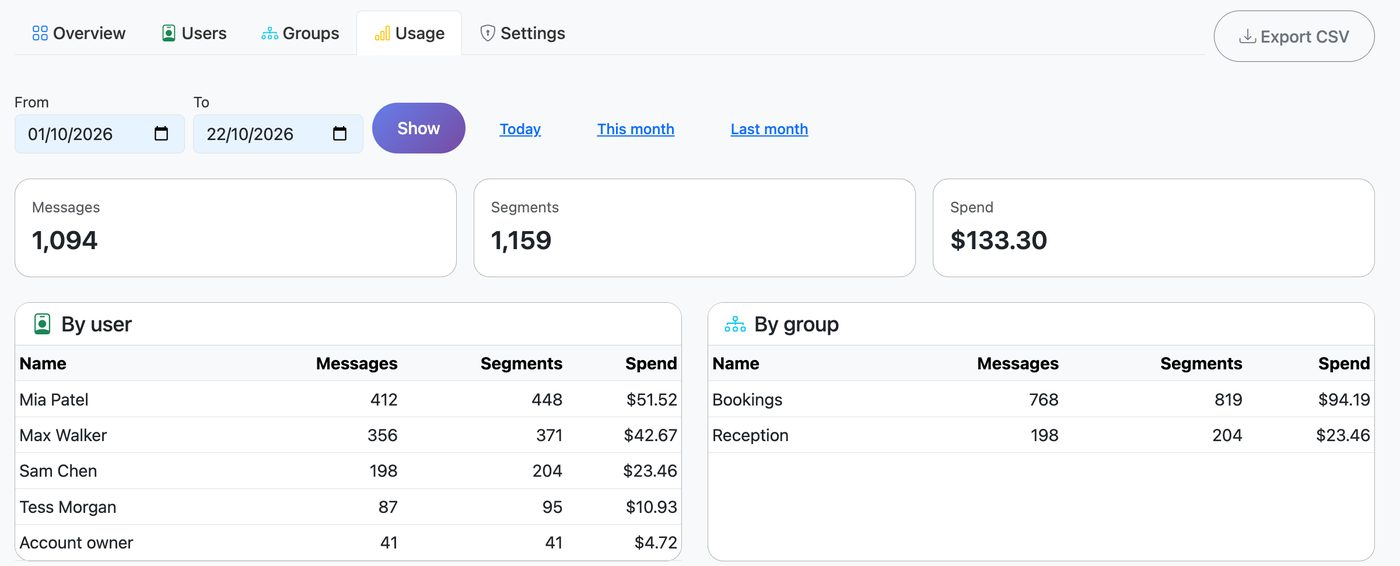
Set an optional daily budget for any user or group. When it's reached, sends are blocked until midnight and you're emailed - so a mistake or a runaway campaign can't drain your credit. The Usage report shows messages, segments and spend per user and per group for any date range, with CSV export for your accounts team.
Secure enough for clinical teams
Designed with healthcare providers in mind, where patient conversations must stay with the right people.
Two-factor authentication
Required by default for new users, with the option to insist on an authenticator app.
No API or billing access
Team logins only work in the members area - never for API keys, integrations, invoices or the SMS API.
Idle timeout
Log team users out automatically after 15 minutes to 4 hours on shared computers.
Audit log
Invites, permission changes, disabled users and exports are all recorded.
Need-to-know visibility
Members see their own conversations unless you deliberately share a group.
Instant offboarding
Disable a user and every session they have ends straight away.
Simple per-user pricing
$5 + GST per user / month
Account owner login free
Billed monthly from your balance, or on your invoice for postpaid accounts. Messages are charged at your normal SMS rates. Turn it off any time and seats stop billing that day.
Turn on Team AccessWho uses Team Access
Hospitals and clinics
Bookings, reception and nursing teams each get their own inbox for appointment reminders and patient replies, with 2FA enforced.
Multi-location businesses
Give each branch or site its own group and budget, while head office sees everything.
Schools and community groups
Office staff and coordinators share one account without sharing one password.
Trades, property and field teams
Dispatch and admin staff text customers from their own login, and you see who said what.
Team Access FAQ
How much does Team Access cost?
Team Access is $5 + GST per team user per month, billed monthly from your WebSMS balance (or added to your invoice on a postpaid account). Your own login as the account owner is free, and messages are charged at your normal SMS rates.
Can team members see each other's messages?
Only if you want them to. By default each person sees just the messages they send and the replies to them. Put people in a group such as "Bookings" and switch on shared messages, and everyone in that group can see and reply to the group's conversations.
Do team users get access to our API keys or billing?
No. Team users can only use Send SMS, Contacts and Messages, plus their own profile. They never see API keys, integrations, webhooks, billing, invoices or your balance, and their login can't be used with the SMS API.
Can I make two-factor authentication compulsory?
Yes. "Require two-factor authentication" is switched on by default for every new team user, and you can require an authenticator app (Google Authenticator, Microsoft Authenticator, 1Password) rather than an email link. You can also log team users out automatically after a period of inactivity.
Can I limit how much each person spends?
Yes. Set an optional daily budget for any user or group. When a budget is reached, further sends are blocked until midnight and the account owner and team admins are emailed. The Usage report shows messages and spend per user and per group.
How do I turn Team Access on?
Log in, open your name in the top right and choose Team Access. Accept the per-user pricing and it is switched on straight away - then invite your first team member by email. Prepaid accounts need enough credit to cover one user for a month.
What happens when someone leaves?
Disable or delete them from the Users tab. They are signed out immediately and their seat stops billing. Messages they sent as part of a group stay with that group, so the rest of the team keeps the conversation history.
Give your team their own logins
Already with WebSMS? Turn on Team Access from your account in under a minute. New to WebSMS? Create a free account first.