Whitelist your links before sending (and why messages with links are rejected)
Messages with links that aren't whitelisted are rejected. Request your domain before you send - here's how, and why it's needed.
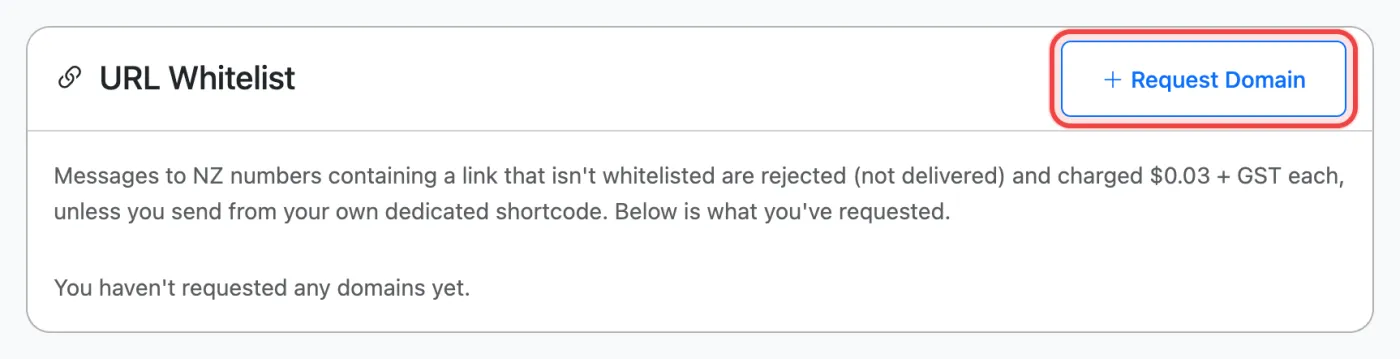
If your texts will include a link, such as a booking page, online form or payment link, get the domain whitelisted before you send. It takes a minute to request. Messages to NZ numbers that contain a link that isn’t on your whitelist are rejected straight away: they aren’t delivered, and a $0.03 + GST rejection fee is charged for each one.
Do this first: request your domain as soon as you know you’ll be sending links, e.g. when you set up your account or before a campaign. Approval is per domain, so once yoursite.co.nz is approved, every link on it works.
How to whitelist a domain
- Open API Keys from the menu under your name, then go to URL Whitelist. You can also click Request whitelist on the Send SMS page.
- Click Request Domain. Enter the domain without
http://orwww, e.g.bellasalon.co.nz. Add a short reason, e.g. “Online booking links for our clients”. - Click Submit Request. Our team reviews it, usually quickly during business hours, and you’ll get an email when it’s approved.
You need some credit on your account before you can request a domain.
Why links need approval
Text scams (“your parcel is waiting”, “your account is locked”) work by getting people to tap a link. If a shared shortcode is used for scams, the mobile networks can shut it down for every business using it. Checking links before they’re sent keeps the shortcodes trusted and your messages delivered.
Check before you send
On the Send SMS page, the banner above your message checks links as you type. It shows whether the link is approved, pending review or not whitelisted, so you know before you click send.
Tips
- Use your own domain rather than a link shortener such as bit.ly. Shortened links hide where they go, so they’re much harder to approve, and recipients trust them less.
- Booking or payment links on another company’s site (e.g. a booking platform) can be requested as a specific page or path rather than the whole domain.
- A rejected message isn’t resent automatically. Once the domain is approved, send it again.
- Messages from your own dedicated shortcode aren’t link-checked.
Sending through the API?
A rejected send returns HTTP 422 with reason: "url_not_whitelisted", the link that was found and a whitelist_url to request it. Don’t retry automatically: each attempt is rejected and charged until the domain is approved. See Send your first SMS with the API.
Related articles
More in Getting Started
We’re a small New Zealand team and happy to help.