Why we verify your identity before your first top-up
We verify every account holder's phone and ID once to stop scams and phishing, protect shared numbers and meet network rules.
Before your first top-up, we ask you to verify your mobile number and your identity. It takes a few minutes and you only do it once. We do it because text messages are a favourite tool of scammers: every WebSMS account must belong to a real, identifiable person, so our numbers stay trusted, your messages keep getting delivered, and we meet our obligations to the mobile networks.
Why we verify every account
- Stopping scams and phishing. “Your parcel is waiting” and “your bank account is locked” texts are sent by people using stolen cards and fake identities. Verification stops them signing up and sending through us.
- Protecting shared numbers. Many customers send from the same shared shortcodes. If one sender abuses them, the mobile networks can block the number for everyone. Knowing who each sender is keeps them clean.
- Compliance. NZ mobile networks and anti-spam law expect us to know who is sending messages and to act on complaints. Tying each account to a real person lets us do that.
- Preventing card fraud. It protects you, and us, from stolen cards being used to buy credit.
The steps
You’ll see these the first time you open Add Funds:
- Verify your phone number. Enter your NZ or Australian mobile number and type in the 6-digit code we text you (valid for 10 minutes, free).
- Verify your identity. A quick check with our identity partner: photograph your passport or driver licence and take a selfie so we can confirm it’s you. You’ll need the ID, a phone or computer with a camera, and good lighting.
- Add an NZ or Australian payment card. A one-off $2.00 charge confirms the card and is added to your balance.
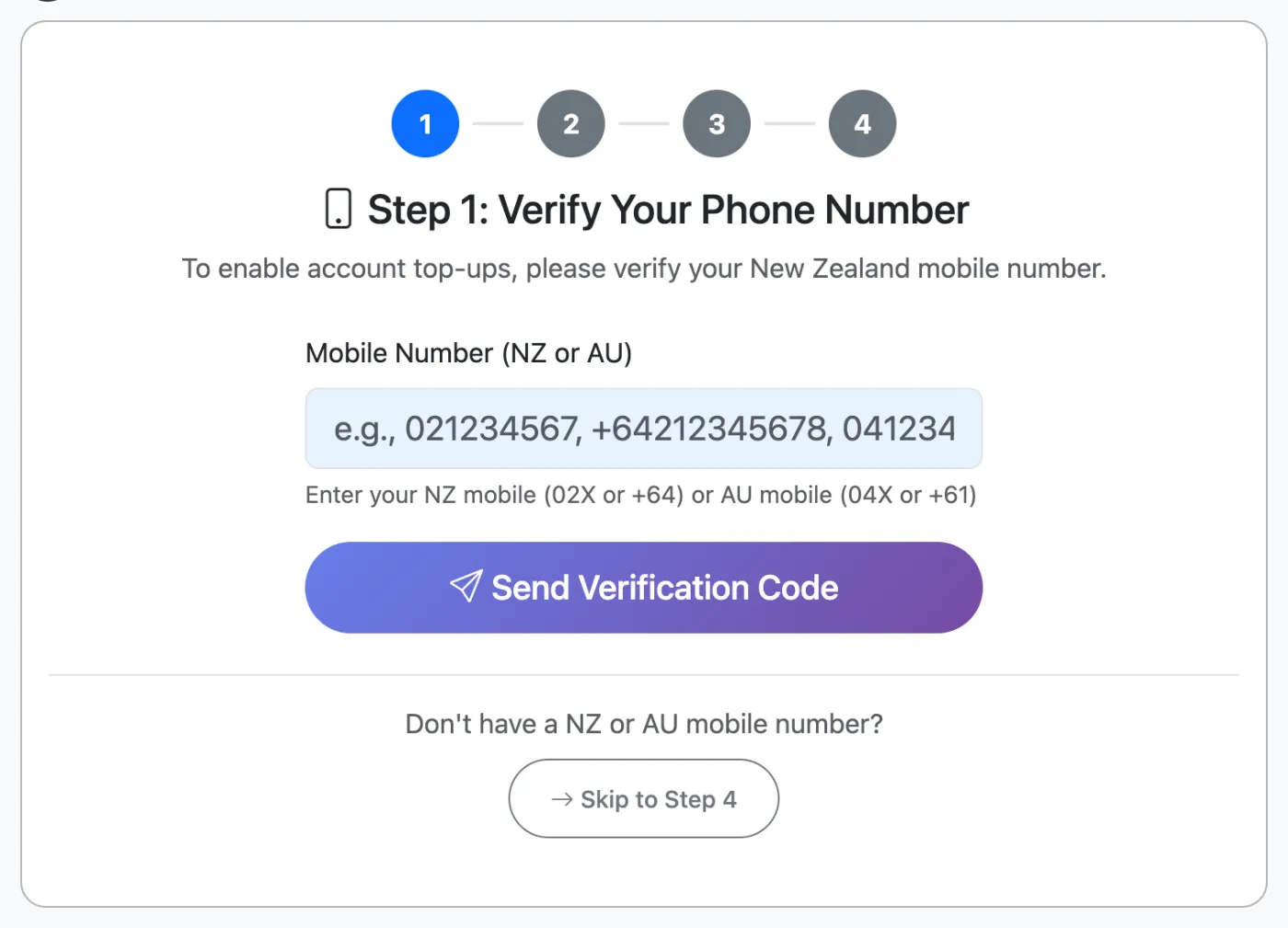
Once these are done, you can top up by card or by bank transfer straight away, and you won’t be asked again.
No NZ or Australian mobile or card?
Click Skip to Step 4 on the Add Funds page and contact us. We’ll verify your business manually and can arrange bank transfer, direct debit or invoicing.
What happens to my information?
The identity check is done by a specialist verification provider. We keep the result of the check and your ID details so we can show who owns the account, as the networks and the law expect. We don’t use it for marketing. See our privacy policy.
Common questions
The identity check said it’s processing
Most checks finish within a minute and the page updates on its own. Some are sent to our team for a quick manual review, for example if the check was done from overseas or through a VPN. We’ll approve it as soon as we can.
My verification was declined
Make sure your ID is valid, not expired, and clearly photographed in good light without glare, then contact support and we’ll help.
Do my team members need to verify?
No. Only the account owner who pays for credit verifies. Staff using Team Access log in with their own accounts and never see billing.
Related articles
More in Getting Started
We’re a small New Zealand team and happy to help.